Your money’s sums,
in your own house.
A private, encrypted personal-finance app for Mac. Import the statements your bank already gives you — PDF, CSV, or OFX — and see where your money actually goes. No cloud. No subscription. No bank logins. Ever.
- Free 14-day trial
- macOS 14+
- Apple Silicon & Intel
- Signed & notarized

How it works
Three steps to clarity
No account creation, no linking your bank, no learning curve.
Drop in a statement
The PDF, CSV, or OFX/QFX file your bank already lets you download. Sumhouse reads it, skips what you’ve imported before, and never loses a row silently.
It sorts itself out
Rules you control categorize your spending. Credit-card payments and transfers get linked automatically — so they never inflate your income or double-count a dollar.
See the whole picture
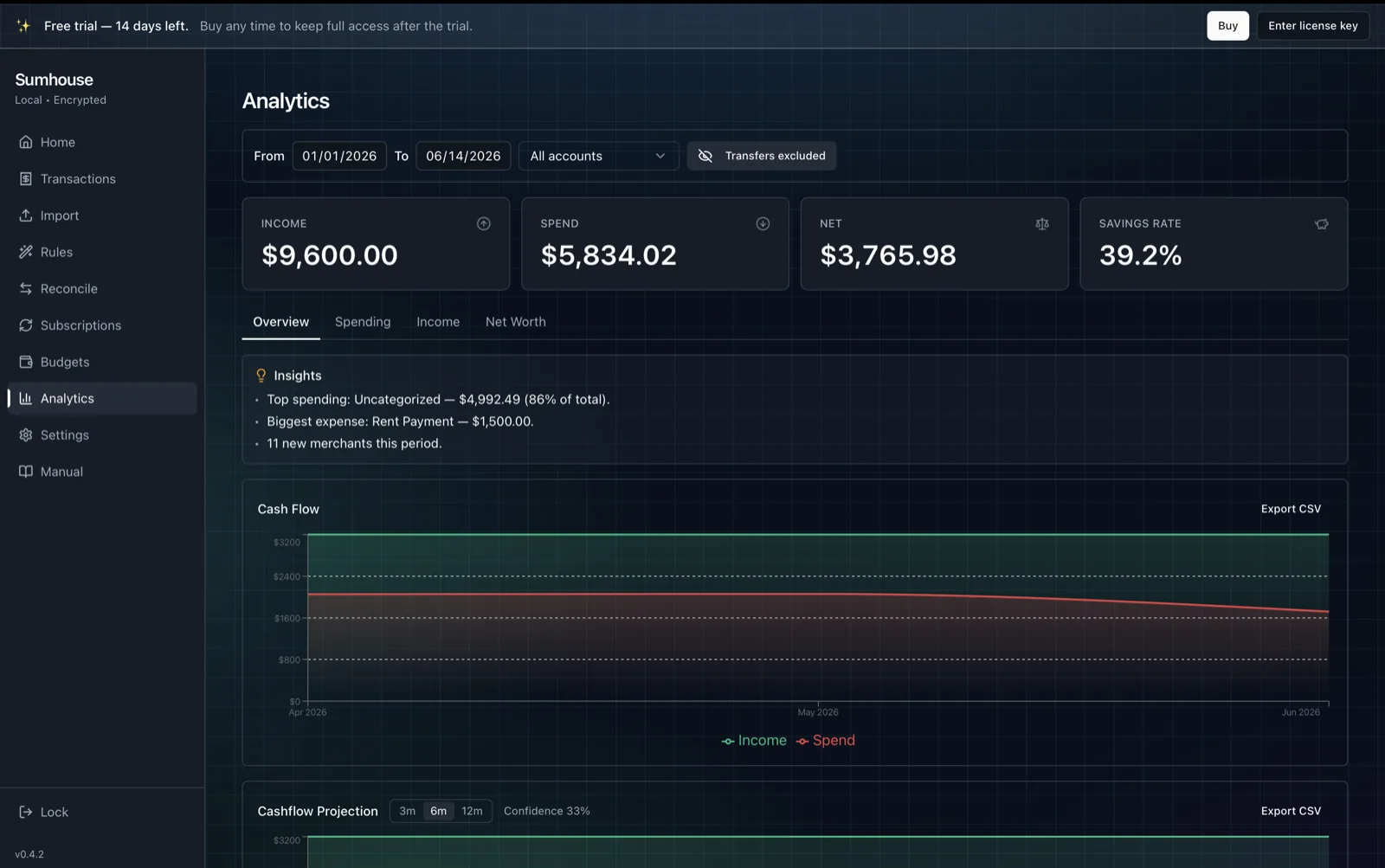
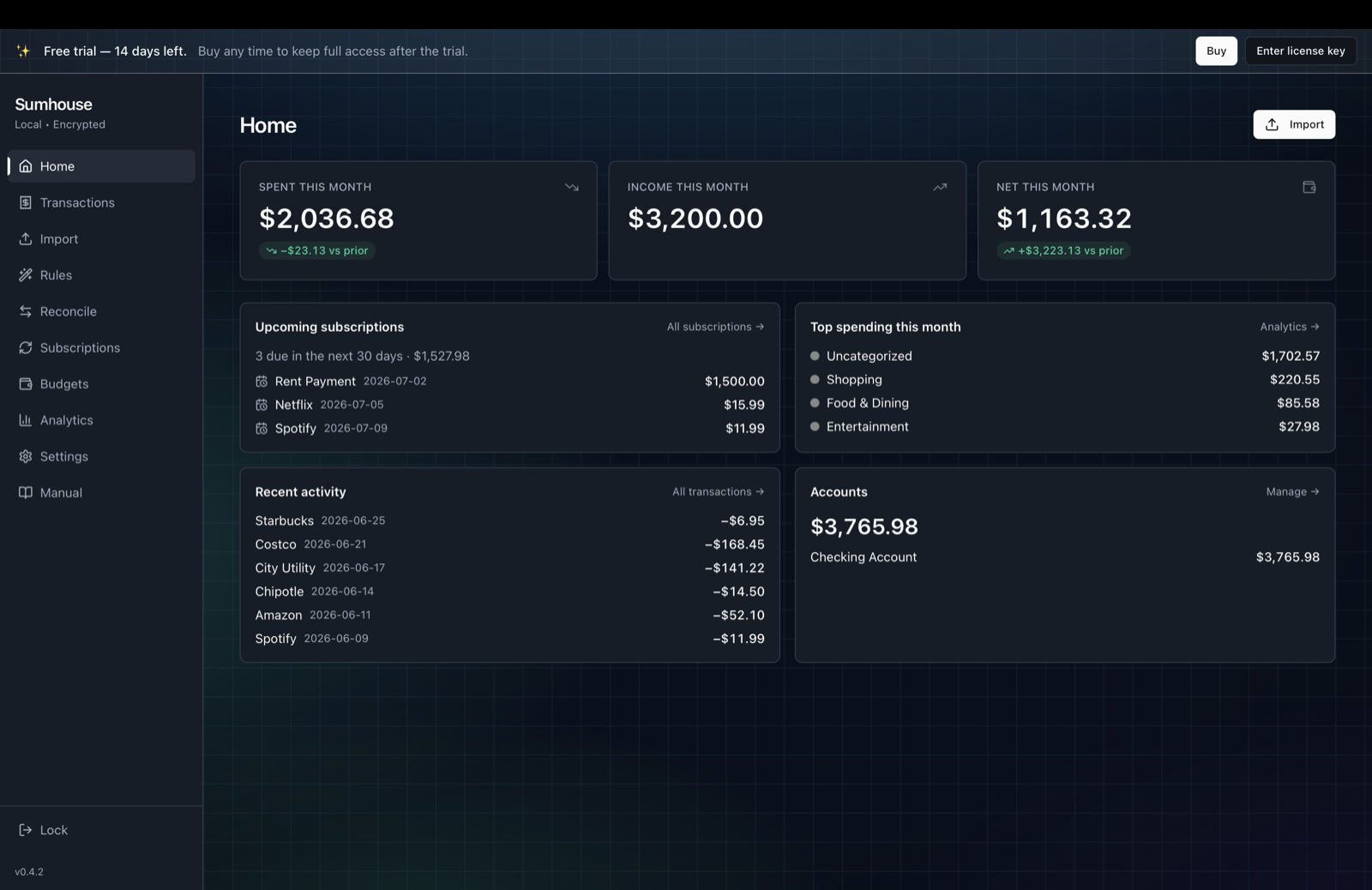
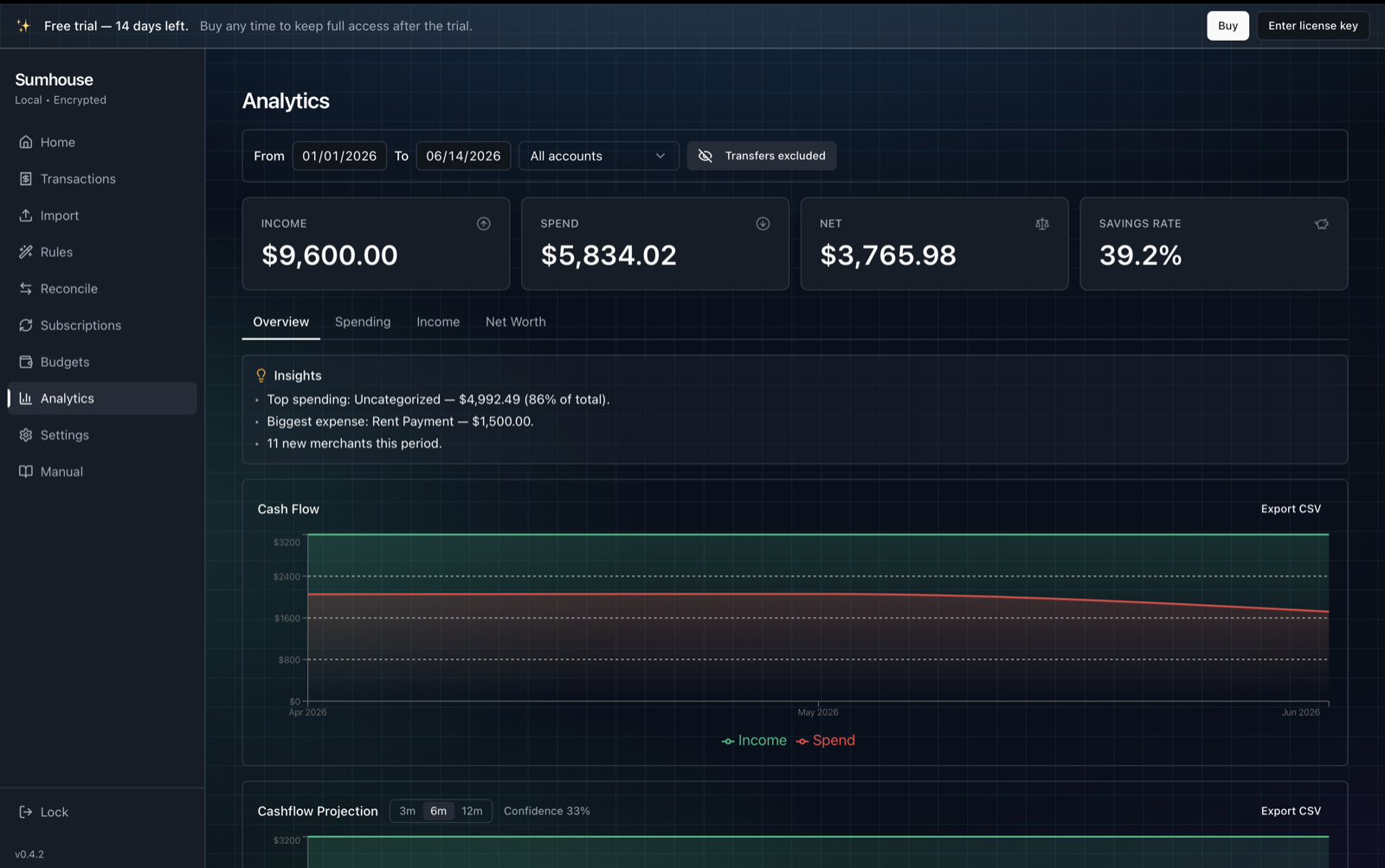
Spending, income sources, subscriptions, budgets, net worth over time — real analytics, computed on your Mac, in milliseconds.
A look inside
See it in action
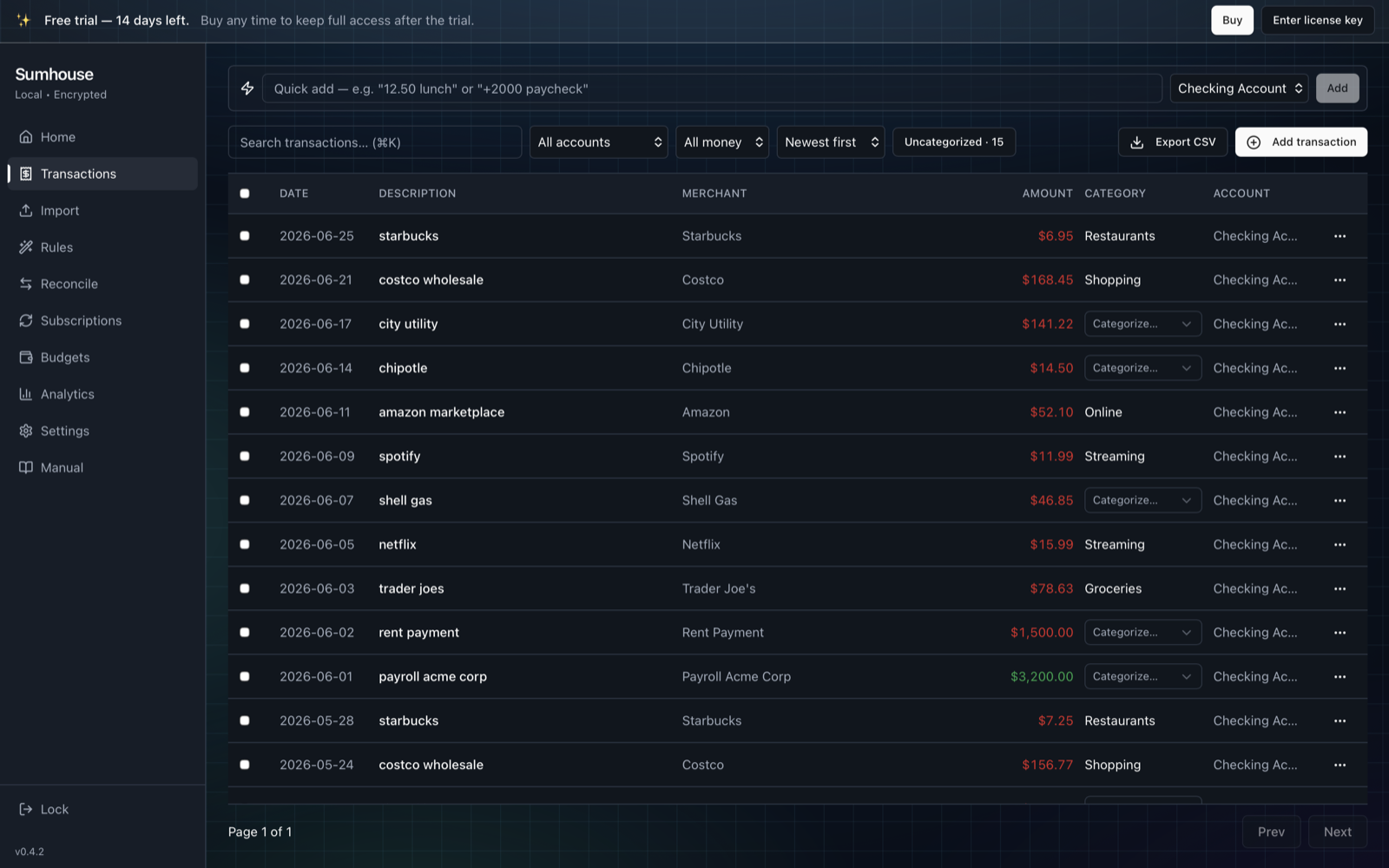
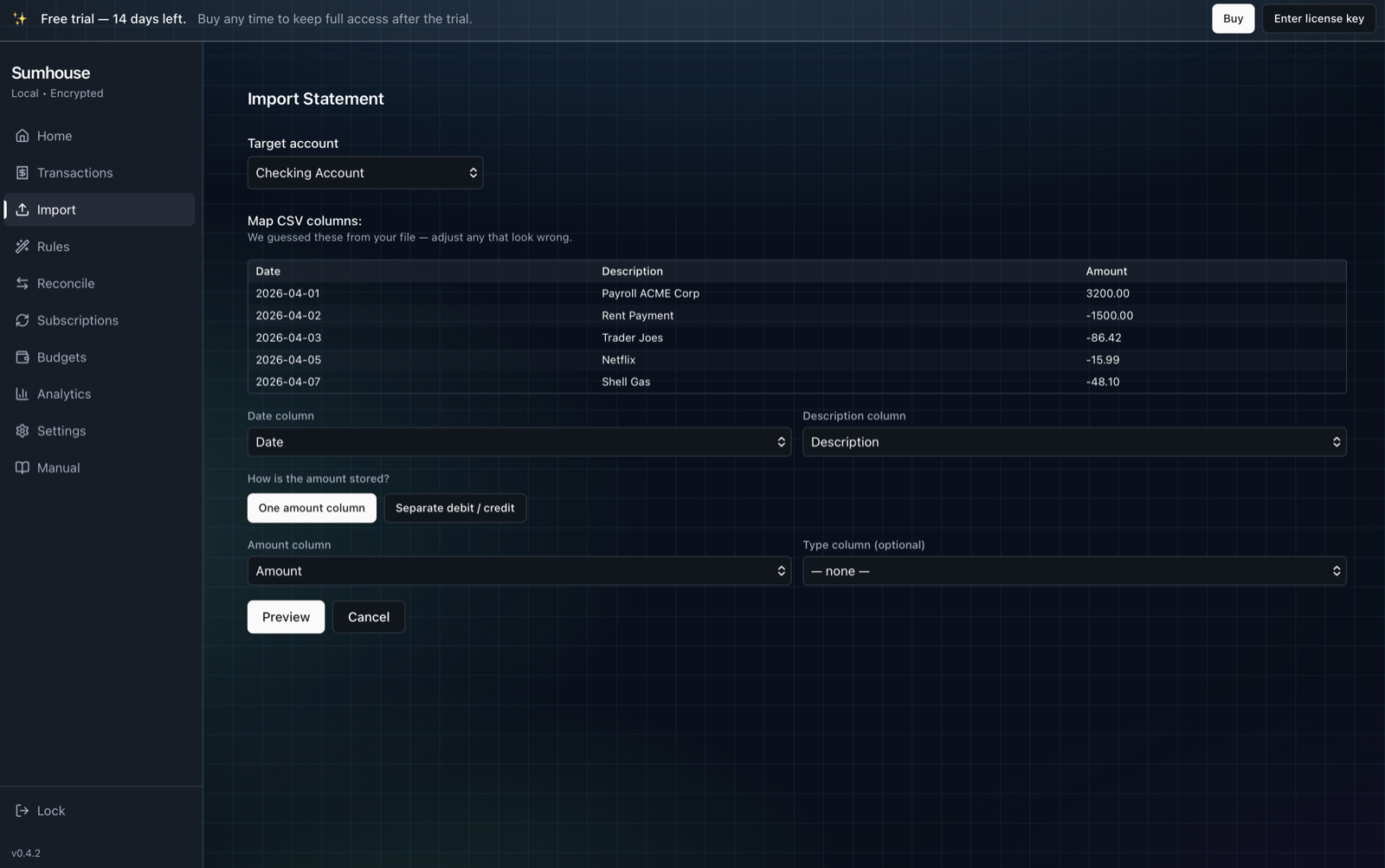
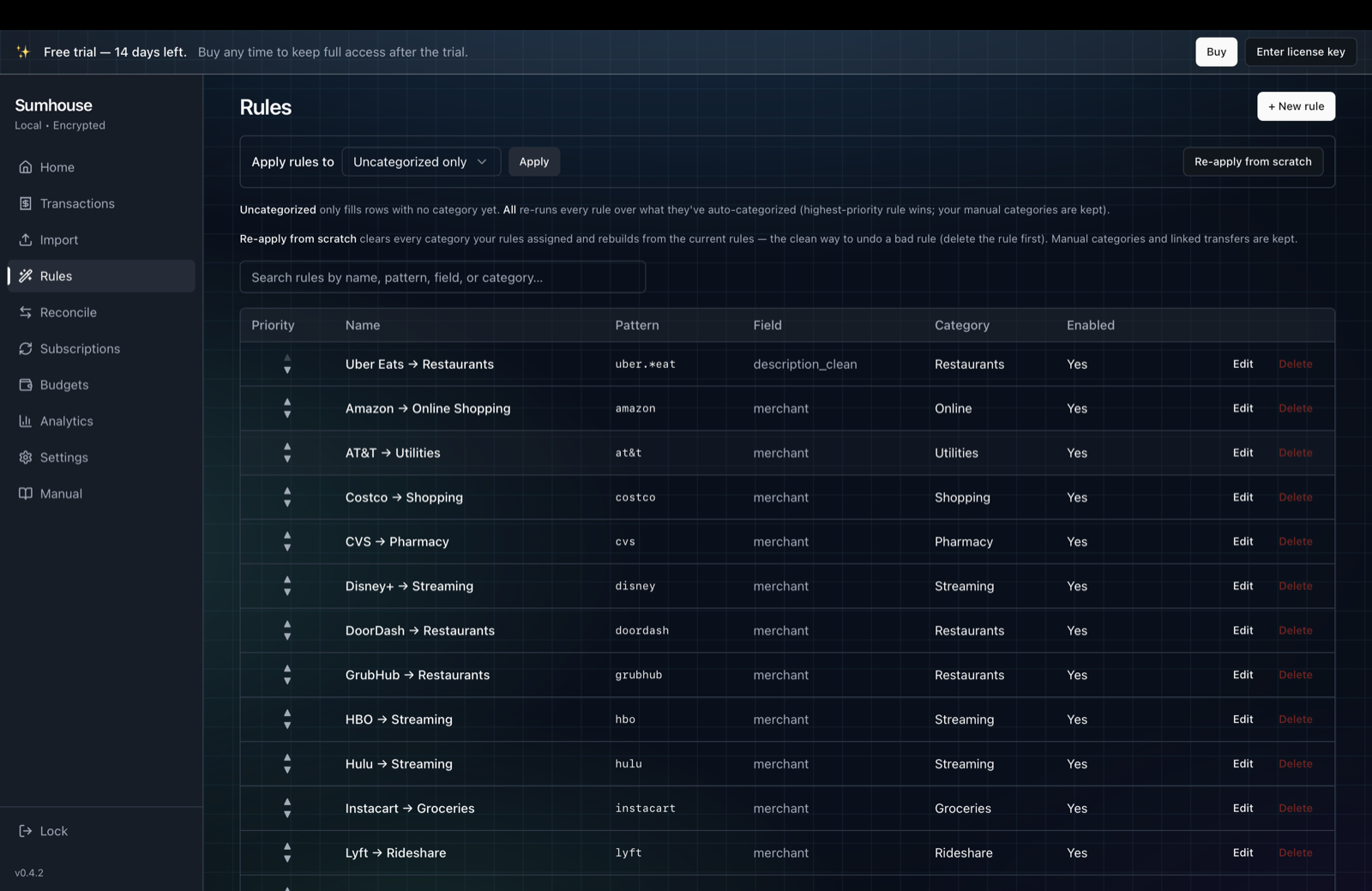
Real screens, shown with sample data. Click any shot to enlarge.
Privacy
Private by architecture, not by promise
Most finance apps upload your transactions to their servers. Sumhouse has no servers.
The app phones home exactly twice, ever: once to validate your license key, and a manual “check for updates” that runs only when you click it. That’s the entire network footprint.
Encrypted on your Mac
Your data lives in one SQLCipher-encrypted database file in your home folder, protected by a passphrase only you know — with Touch ID for convenience.
No bank logins. No aggregators.
Sumhouse never asks for your banking credentials and never connects to your bank. You feed it statement files; that’s the whole relationship.
No telemetry. No analytics. No account.
There’s no sign-up and no profile of you held anywhere — because there’s no server to hold one. Even this website ships without a single tracker or third-party script.
Yours to back up
Automatic local snapshots before risky operations, plus one-click encrypted backups you can keep on any drive. Your data never depends on our existence.
Features
Everything you need, nothing that tracks you
Built for people who want the truth about their spending without handing it to a startup.
Statement import that works
Bank-agnostic PDF parsing, a CSV mapper that learns each bank’s layout, and OFX/QFX support. Re-imports are safely skipped.
Transfer matching
Credit-card payments and between-account moves are linked automatically so your income and savings rate are honest.
Subscriptions radar
Recurring charges detected from your real history — see the monthly bleed, catch price hikes, spot what you forgot to cancel.
Budgets & rules
Monthly caps with smart suggestions, plus a rules engine with live match previews for hands-off categorizing.
Net worth & analytics
Assets vs. liabilities over time, savings-rate trend, top merchants, income by source, and plain-language insights.
Fast, native, searchable
A real Mac app: instant full-text search, keyboard shortcuts, dark mode, and CSV export of anything you see.
Pricing
Pay once. That’s it.
No subscription, no upsells, no “premium tier” for your own data.
- Free 14-day trial — every feature, no card required
- Use on up to 3 of your Macs
- Free updates
- Your data stays viewable and exportable forever — only importing new statements pauses until you buy
One click composes an email to support@sumhouse.app — that’s the whole “waitlist.”
FAQ
Questions, answered straight
Where exactly is my data?
In ~/Library/Application Support/app.sumhouse/ on your Mac — one
encrypted database file plus your encrypted backups. Delete that folder and the
app, and Sumhouse never existed.
What happens if I forget my passphrase?
Your data is unrecoverable — by design. There is no reset email because there is no server and no account. We say this loudly so you choose a passphrase you’ll remember, and keep a backup on a drive you control.
Which banks does it support?
Any bank that lets you download statements. OFX/QFX imports are the most exact, CSV works everywhere with a column mapper that remembers each bank’s layout, and the PDF parser handles most U.S. bank and credit-card statements.
What does the trial limit?
Nothing for 14 days. Afterwards everything you imported stays fully viewable and exportable — the app only stops you adding or importing new data until you enter a license key.
Mac only?
Yes — macOS 14 or later, Apple Silicon and Intel, signed and notarized. A Windows version may follow; tell us if you want it.
Refunds?
The trial exists so you can be sure before paying. If something’s wrong anyway, email within 14 days of purchase — see the refund policy.
Your money’s business is nobody else’s.
Keep it that way. One private app, on your Mac, that finally tells you the truth about your spending.